
How ACondor Manages Risk Across Multiple Trading Accounts
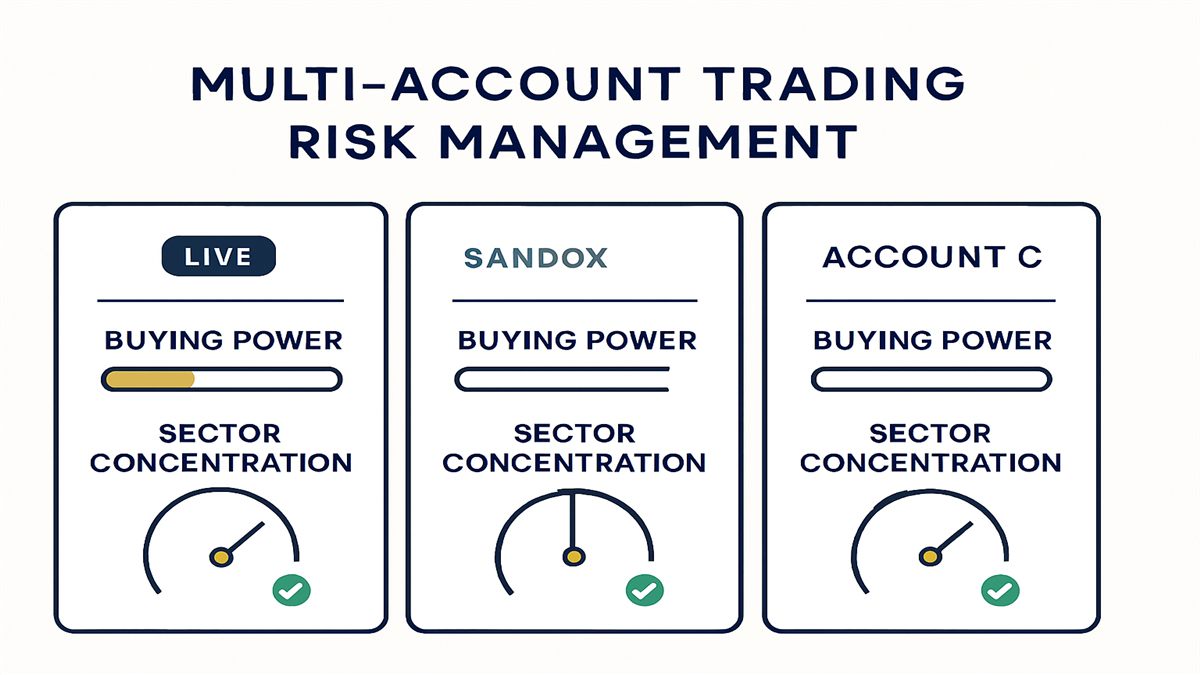
Running one account is straightforward. Running several, some live and some paper, each with its own size and risk tolerance, is where automation either holds up or quietly creates blind spots. This post covers how ACondor manages risk across multiple trading accounts: how the logic behind every decision gets checked, how each account’s numbers stay its own, and how the platform keeps live money and paper trading from ever touching.
An Independent Review Behind Every Release
Before any change to the trading logic ships, it goes through an independent, structured review. That review covers three areas specifically: roll decisions, one-day market-move defense, and portfolio risk sizing.
Roll decisions are checked against real trading costs, not theoretical ones, so a roll that looks good on paper but bleeds value in practice does not make it into production. Defensive rules are checked against sudden market moves to confirm they respond the way they are supposed to when a position needs protection fastest. Position sizing is checked against the account’s live value, not a stale snapshot, so every trade is sized against what the account actually holds right now.
This is the part of the platform prospects rarely see, and it is arguably the most important. Anyone can write logic that looks reasonable. What separates a system worth trusting with real capital is whether that logic gets checked before it reaches a live account, and checked again every time it changes. That review happens on every release, not once at launch and never again.
Live and Paper Never Blend
If you run a paper account to test settings alongside a live account trading real capital, the two need to stay completely separate. ACondor treats that separation as a hard boundary, not a display preference.
Every position is clearly tagged LIVE or SANDBOX, and portfolio totals for real money and paper trading are always kept apart. You never end up staring at a combined number wondering how much of it is real. On top of the labeling, the operational behavior is isolated too: cooldowns and news-driven protections on a live account never leak into a paper account, and the reverse is also true. A defensive trigger on your paper account will not quietly throttle what your live account is allowed to do, and testing an aggressive setting on paper carries zero risk of affecting a live position.
That isolation is what makes it safe to actually use a paper account the way it is meant to be used, as a genuine sandbox, without a second thought about cross-contamination.
Every Account Sees Its Own Limits
Managing several accounts only works if each one reflects its own reality. Buying-power and allocation-cap figures on the dashboard always reflect that specific account’s own live limit and usage, whether you are looking at one account or several side by side. There is no shared pool getting misread as one account’s headroom.
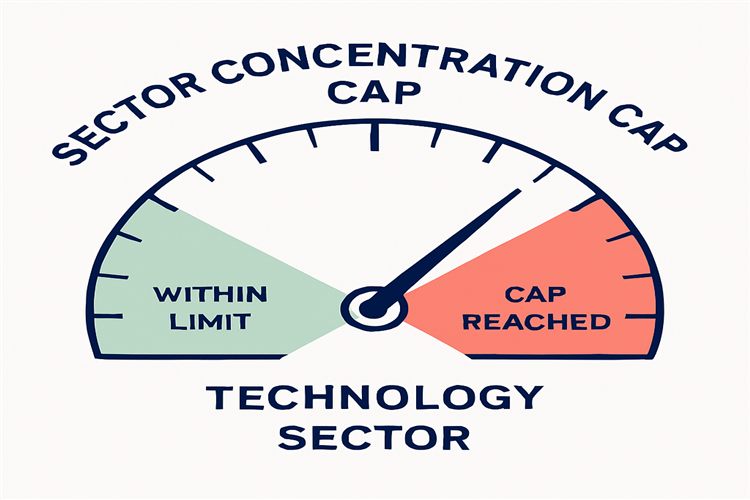
Concentration risk gets the same account-aware treatment. You decide how many open positions the platform will hold in a single market sector or theme, such as technology, or a shared bucket for country-specific international ETFs, at one time. That cap is tunable globally across every account or set differently per account, right from the dashboard, and changes take effect immediately with no restart required. A tighter cap on a smaller account and a looser one on a larger account is a normal setup, and the platform enforces both without you having to watch either one manually.
Orders That Match What Actually Happened at Your Broker
Risk management is only as good as the record behind it. When ACondor closes a live position, it places a real order at your brokerage and tracks that order end to end. Click Close and the platform submits the order and records the true fill price, so what the dashboard books always matches your brokerage statement. A CLOSING status shows on the position while the order is working, and a request made outside market hours executes automatically at the next open rather than getting lost or silently ignored.
Fast-moving conditions sometimes mean a closing order needs to be repriced to fill. ACondor tracks that order through to its true outcome, so a legitimate fill is always recorded correctly no matter how many reprices it takes to get there. And because every position row shows how fresh its price quote is, a stale mark is never mistaken for a current one, which matters most exactly when prices are moving fastest.
The result across every account: the numbers on your screen and the numbers on your brokerage statement are the same numbers, every time.
News and Connectivity Don’t Catch You Off Guard
Two things threaten multi-account risk management more than almost anything else: a news event nobody caught, and a connection that quietly stopped working. ACondor is built to surface both immediately.
Every tradeable structure, including directional trades in either direction and not just neutral ones, is classified by its own directional exposure to news. Threatening news still triggers a protective exit, but news that supports the position’s own direction never closes a winning trade early just because a headline crossed the wire. A per-position news badge on the dashboard shows at a glance which open positions have recent, relevant news, with a hover popup for the summary and timestamp, so you can check the reasoning without digging for it. Candidate discovery reflects the same real-time standard, staying current around the clock, including right after any platform restart, so you are never scanning against a stale watchlist.
Connectivity gets the same standard. Brief broker-connection blips resolve on their own, with no action needed from you. A genuinely broken connection, such as an expired or revoked credential, raises a clear on-screen alert naming the specific account, plus an optional phone notification, so a real problem on one account never goes quietly unmanaged while you assume everything is fine. Expiration day gets its own dedicated safety net too: if market data goes quiet while a position is expiring, the platform alerts immediately instead of staying silent through the highest-risk window of the trade’s life.
Across how ACondor defends trades under pressure and the risk controls covered here, the pattern holds: the platform handles the moment-to-moment decisions, and you set the limits those decisions operate inside. For the mechanics behind the income these positions generate in the first place, that post walks through the entry side. The full list of account-level and global settings lives in the settings documentation.
Frequently Asked Questions
Can I run a live account and a paper account without them affecting each other?
Yes. Every position is tagged LIVE or SANDBOX, portfolio totals are kept separate, and cooldowns or news-driven protections never cross between a live account and a paper account.
How does ACondor prevent too much exposure to one sector?
You set a sector-concentration cap, either globally or per account, that limits how many open positions the platform will hold in one sector or theme at a time. It is adjustable from the dashboard with no restart required.
What happens if my broker connection drops?
Brief connection blips resolve automatically. If a connection is genuinely broken, such as an expired or revoked credential, the platform raises a clear on-screen alert naming the account, with an optional phone notification.
How do I know the trading logic itself has been checked?
Every release goes through an independent, structured review covering roll decisions, one-day market-move defense, and portfolio risk sizing, checked against real trading costs and the account’s live value.
Ready to Automate Your Options Trading?
ACondor handles iron condors, earnings plays, and volatility strategies automatically in your tastytrade account. No manual entries, no missed setups.
Join the early access list and be first when we open to new accounts.
Ready to Automate Your Options Trading?
ACondor handles iron condors, earnings plays, and volatility strategies automatically in your tastytrade account. No manual entries, no missed setups.
Join the early access list →